Web analytics for ecommerce and SaaS: simple, powerful and privacy-friendly
If you run an ecommerce store or a SaaS business, you need to know what’s driving traffic and conversions. The question isn’t whether to track analytics, it’s whether Google Analytics is actually giving you reliable data and whether the complexity is worth it.
For most teams, it isn’t. Plausible gives you everything that matters: campaign tracking, conversion goals, revenue attribution, funnels and accurate traffic data. Without the setup overhead, cookie banners or the data quality problems that come with GA.
- The problem with Google Analytics
- You get accurate data from day one
- Switching is straightforward
- Get actionable insights from your traffic and referral sources
- Follow the user journey from paid ad to conversion
- Track ecommerce revenue
- Add custom properties to events and pageviews
- See organic search and AI traffic clearly
- No cookie banner required
- Stay on top of traffic changes
- Build faster loading websites
- Build custom reports with Looker Studio
- Share stats with your team
- Try Plausible Analytics
The problem with Google Analytics
Google Analytics is the default choice for most ecommerce and SaaS teams, but it comes with real costs.
It’s blocked by a large share of web visitors. Ad blockers and privacy-focused browsers routinely skip it, so a meaningful portion of your audience simply isn’t counted. Some sites see 30% or more of traffic going untracked.
GA also uses cookies and collects personal data, which means you need a cookie consent banner. Those banners reduce data quality further because many visitors decline. So you end up with analytics that are both invasive and incomplete.
On top of that, GA4 made reporting harder for most users. The interface is complex, the setup requires configuration, and getting simple answers often means building custom reports.
Plausible is a simpler, more accurate alternative that avoids these problems without asking you to give up the insights you rely on.
You get accurate data from day one
Because Plausible is privacy-friendly by default, it isn’t blocked at the same rate as Google Analytics. You immediately see more of your actual traffic.
On top of that, Plausible takes several steps to improve data accuracy:
- Known referrer spam and data center traffic is filtered out automatically. We exclude around 32,000 data center IP ranges by default to prevent bots from inflating your numbers.
- Traffic from Android apps (traditionally lumped into “Direct” in most tools) is identified separately. For sites with significant mobile traffic, this recovers 10% or more of previously unattributed visits from apps like Gmail, Slack and Telegram.
- VPN and Tor browser visitors are grouped under “Anonymous VPN Service” to reduce noise in location reports.
We also support proxying our script as a first-party connection for even higher accuracy.
Switching is straightforward
You don’t have to lose your history when you move away from Google Analytics. You can import past stats so trends, seasonality and year-over-year comparisons stay intact inside Plausible.
Our import tool automatically detects time ranges to prevent double counting or gaps in your data.
If your store runs on WordPress, WooCommerce or Shopify, setup takes minutes. We have a WordPress plugin and direct integrations with the most common platforms. You can also install via Google Tag Manager or add the script directly to any site or framework. See all installation guides.
You can run Plausible alongside GA during the transition to compare results before removing anything.
Get actionable insights from your traffic and referral sources
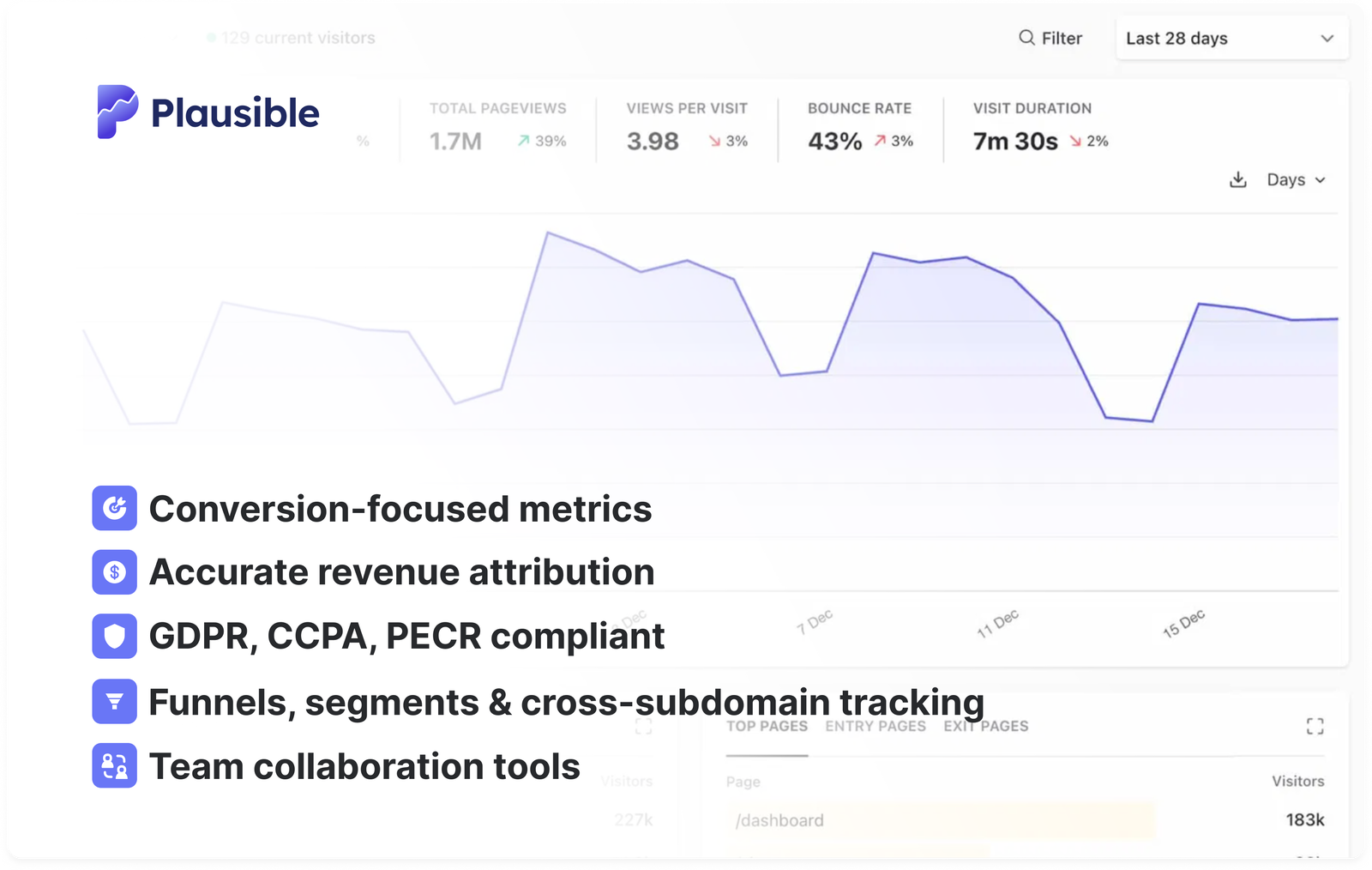
Our dashboard gives you everything you need on one page. No custom reports to build, no menus to dig through. You can understand your site performance in under a minute.
At a glance you can see:
- Number of visitors and pageviews
- Where in the world your visitors are based
- What devices, operating systems and browsers they use
- What referral sources are driving your traffic
- Which pages visitors are landing on and where they drop off
- Bounce rate and session duration by source
You can see our live demo for full details.
Follow the user journey from paid ad to conversion
Track marketing campaigns using UTM tags
UTM parameters help you identify which campaigns and content drive conversions. Dark traffic (clicks from emails, messenger apps and bookmarks) won’t show a referrer source by default. Tagging your links with utm_source, utm_medium and utm_campaign solves that.
Plausible has full UTM tag support out of the box. You can:
- Track email marketing campaigns
- Compare paid vs. organic social
- Analyze individual posts, influencers or affiliate partners
- Measure guest blogging and content syndication
See “how to use UTM parameters to track your campaigns”.
Set up goals and events to track conversions
You can track any action you want visitors to take: visiting a specific page, clicking a button, completing a checkout or signing up for a trial.
Goals give you the number of completions, conversion rates and which referral sources are driving those conversions.
Here are the instructions on how to get started with goals and events.
Build sales and marketing funnels
Once you have custom events set up, you can build funnels to see where visitors drop off between steps. This helps you find friction points in your checkout flow or signup process and improve conversion rates. Here are the instructions on how to get started with funnels.
Cross-subdomain tracking
If you run a main marketing site, an app on a subdomain and a docs site, Plausible can track the full visitor journey across all of them.
The original referral source stays attributed to the visitor as they move between subdomains, and conversions on any subdomain are credited to the right source. No need to filter out internal referrals.
See more on hostname and subdomain tracking.
Track ecommerce revenue
You can send monetary values alongside custom events to track revenue for your store. Revenue attribution shows you which campaigns and landing pages generate the most revenue, not just the most clicks.
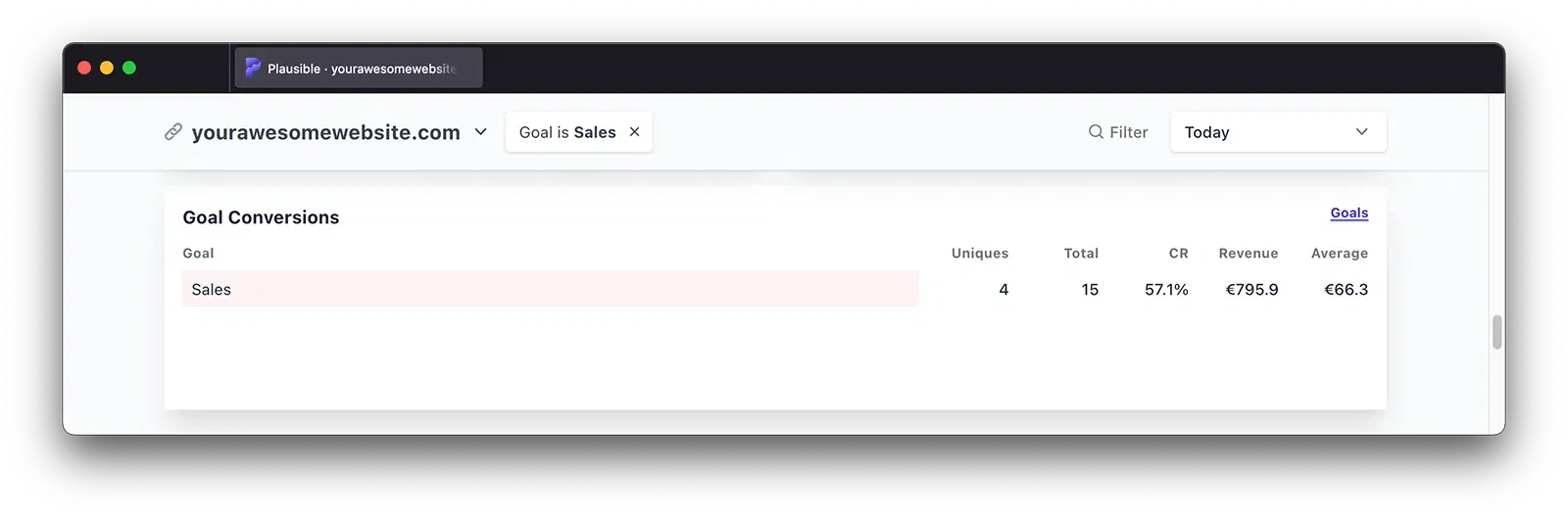
Revenue tracking supports multiple currencies. You’ll see total revenue and average order value in your dashboard, and all revenue metrics are fully filterable by date, referral source, campaign, entry page, country or device.
Also see: How to boost ecommerce sales by tracking revenue attribution in web analytics
Add custom properties to events and pageviews
You can attach metadata to any event or pageview to track dimensions that Plausible doesn’t capture automatically. This lets you:
- Compare different website elements or variants
- Track outbound link clicks
- Track file downloads
- Run A/B tests
You can then filter and segment your dashboard by those properties. Just make sure not to send any personally identifiable information as custom property values.
Learn more about custom properties for events and for pageviews.
See organic search and AI traffic clearly
The dashboard includes a dedicated Organic Search channel that shows how much of your traffic comes from search engines. This also includes traffic from AI assistants and AI-powered search tools, giving you a more complete picture of how people find you.
You can also connect Google Search Console to see which search queries and pages drive organic visitors, alongside engagement and conversion data.
No cookie banner required
Plausible is compliant with GDPR, CCPA and PECR out of the box. We don’t use cookies and we don’t collect or store any personally identifiable information about your visitors.
This means you don’t need a cookie consent banner. No pop-ups asking visitors for permission, no decline rates reducing your data quality and no legal overhead to manage.
You own and control all your data. We don’t sell or share it with third parties and we don’t use it for advertising. See full details on what makes Plausible a privacy-first web analytics tool.
Stay on top of traffic changes
You can set up traffic spike notifications to get alerted when a campaign or piece of content drives an unusual surge in visitors. Useful for ecommerce during launches, sales or press coverage.
Build faster loading websites
Plausible’s script is lightweight, which keeps your pages fast. Heavy analytics scripts are a common flag in Google PageSpeed Insights. By switching to Plausible, you reduce that overhead and improve Core Web Vitals without giving up useful data.
See more on our lightweight analytics.
Build custom reports with Looker Studio
If you need more advanced reporting, the Looker Studio connector lets you pull Plausible data into custom dashboards. You can combine it with data from other sources like Google Search Console or your ad platforms for a more complete view.
Share stats with your team
You can invite teammates and assign roles: either view-only access to the dashboard, or full access to edit settings and manage collaborators. See more on user accounts and roles.
You can also set up weekly or monthly email reports sent to multiple recipients. Stats are embedded directly in the email, no login required.
Or generate a private shared link to the dashboard for anyone who needs occasional access. No account required to view it, and you can password-protect it for extra security.
Try Plausible Analytics
Start a free 30-day trial. No credit card required and you can run Plausible alongside your existing analytics while you evaluate it.
We charge a subscription fee instead of monetizing your data. That’s the model that keeps our incentives aligned with yours.